Download Microsoft Visio for Windows – Create and share diagrams for productivity
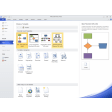
Microsoft Visio is meant for designing and sharing diagrams like flowcharts, mind maps, organization charts, network diagrams, UML diagrams, floor plans, and other charts. It’s also called Visio in Microsoft 365 if you access it through a Microsoft 365 subscription. With a free download of Microsoft Visio for Windows, you can compile and present charts for presentations with even more advanced features than if you had done them through Microsoft Excel. Speaking of Microsoft Excel, this is the perfect tool to work in tandem with the popular spreadsheet software. If you have a complex set of data or information within a Microsoft Excel spreadsheet, you can easily use the compatibility features of Microsoft Visio for Windows to present that information in a graphic tool.
Top Recommended Alternative
Features and integrations – What you can do with Visio that you can’t get elsewhere
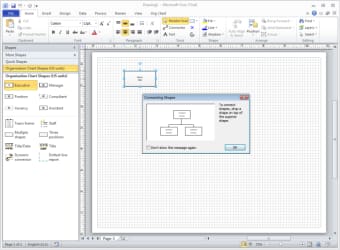
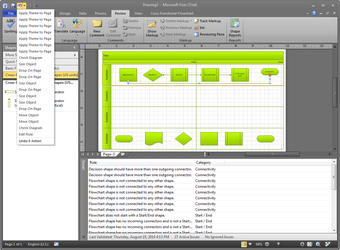
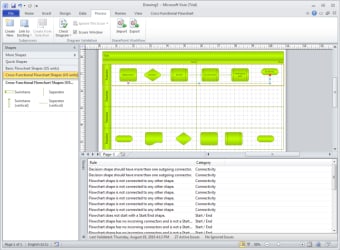
Microsoft Visio is a versatile tool for creating and sharing diagrams like flowcharts, organizational charts, floor plans, and network maps. It offers a variety of templates to get you started, with an intuitive drag-and-drop interface that's beginner-friendly. New users can rely on an interactive guide and extensive help features. You can fully customize diagrams, adding elements like hyperlinks, documents, and CAD drawings. The built-in Diagram Check function helps catch errors, making it ideal for professional use. You can share work through SharePoint, import Excel data, and automatically generate diagrams. While not flashy, it's a reliable and practical solution for diagram creation.
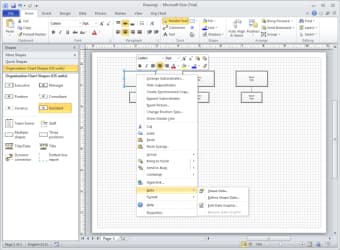
One of the best features that Microsoft Visio offers is the familiar layout of other Microsoft products. You will see the same tools in the same layout, including the familiar ribbons on the top of the screen, which offer common tools and actions with one click. You can also integrate the charts and diagrams that you build out in Visio into other Microsoft products.
Compatibility and system requirements – Will my computer work with Microsoft Visio for Windows?
Depending on the version of Microsoft Visio that you download, you will need to ensure that your computer is running a compatible system. For those who are accessing Visio in Microsoft 365, you should make sure that you’re running a system compatible with Microsoft 365. The minimum you should be operating is Windows 10, but anything more recent will also work. The benefit of working through a Microsoft 365 plan is that you’ll be working with the most recent version of Visio without any need to continue updating or purchasing a new license when improved versions are released.
Microsoft 365 Plans – How do I make sure I’m subscribing to access Microsoft Visio for Windows?
One of the best ways to access Microsoft Visio for Windows is through a Microsoft 365 subscription. Yes, you can still download and purchase Microsoft Visio through a traditional license, but this is a much larger up-front cost and will only operate on the computer or device you choose to install it on. With Microsoft 365, you will be able to log into your Microsoft profile on any device and get access to your work, your apps, and, in particular – Microsoft Visio.
Needless to say, you’ll want to make sure you are subscribing to a Microsoft 365 that includes Microsoft Visio if that’s the main draw for you. The main plans for Microsoft 365 do not include Microsoft Visio, so you’ll need to pay for a Visio Plan. However, the one exception is Microsoft Commercial and Education plans, which are purchased by large businesses or universities to provide for their employees or students.
- Visio Plan 1: Visio Plan 1 is a lightweight, web-based solution designed for basic diagramming. It allows users to create and edit simple diagrams like flowcharts, organizational charts, and network diagrams directly from their browser. Plan 1 includes a library of templates and shapes to simplify the process and is ideal for users who need quick and straightforward diagramming tools. While it integrates with Microsoft 365 apps, it doesn’t include advanced features like data linking or desktop capabilities. Visio Plan 1 is best suited for individuals or teams with minimal diagramming requirements and who prefer working online.
- Visio Plan 2: Visio Plan 2 is a more robust offering featuring both desktop and web apps for comprehensive diagramming. It includes all the features of Plan 1, plus advanced functionalities like data visualization, integration with Microsoft Excel, and support for CAD files. Plan 2 offers access to premium templates and shapes, advanced editing tools, and the ability to create professional-grade diagrams. Users can also link diagrams to live data sources, enhancing collaboration and efficiency. This plan is ideal for professionals or organizations needing high-level, detailed diagramming capabilities.
Both plans are available as separate subscriptions and are not bundled with standard Microsoft 365 plans, so be sure to choose what works best for your needs.